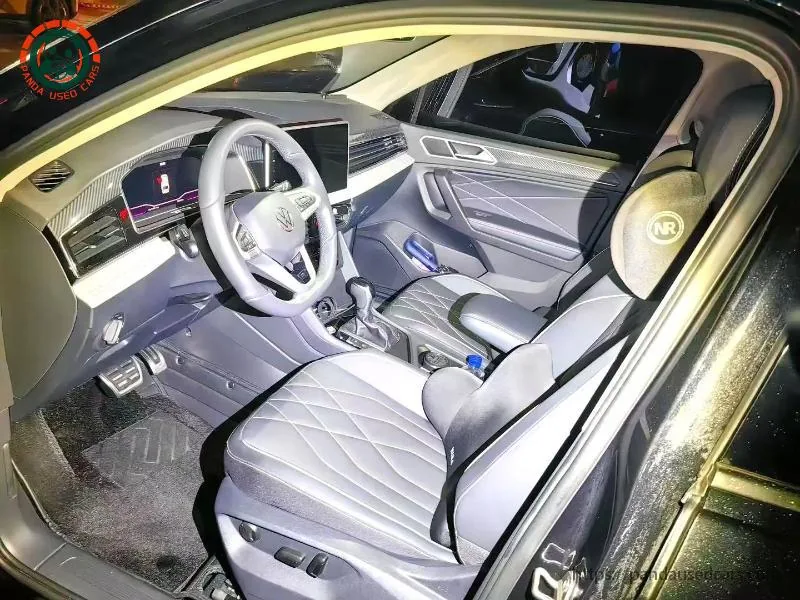
Record the actual hardware and market
Photograph the head-unit identity, software information, available menus and relevant ports. Match the candidate through the generation and market record. Ask whether the unit is factory fitted, replaced or aftermarket, and retain any installation or repair evidence. A newer screen in an older car does not identify its supported functions. Record the buyer's required language, navigation method, calling and music needs before testing. If the seller proposes a software or hardware change, define its scope and supported route rather than accepting a vague promise that every export car can be converted after arrival.
Distinguish projection from remote services
Volkswagen's UK App-Connect material describes Apple CarPlay and Android Auto interfaces; that reference does not prove either is fitted or enabled on every Tiguan in every market. Phone projection uses compatible phone applications on the vehicle display, while remote services involve separate vehicle accounts, service eligibility and connectivity. A successful Bluetooth call proves neither projection nor remote ownership transfer. Keep the software and driver-assistance record separate from these daily-use tests. Do not describe a brand app download as confirmation that a China-market head unit will activate a European connected service.
Run the functions the buyer actually needs
Use a compatible test phone and appropriate cable where required. Record phone model, operating-system version, connection method and each result: call audio, microphone, navigation display, music control and message handling where supported. Keep the vehicle parked for setup and avoid distracting the driver during any road demonstration. Check stable reconnection after disconnecting and restarting the permitted systems. A brief menu screenshot cannot establish a reliable daily routine. If only wired operation is demonstrated, describe it as wired; do not upgrade the claim to wireless merely because the phone itself supports a wireless feature on another vehicle.
Investigate missing functions without unapproved changes
When a function does not work, separate phone compatibility, cable or port condition, configuration and installed vehicle equipment before assuming a fault. Ask a competent workshop to verify any proposed activation or repair. Do not install unknown firmware, bypass account controls or promise a feature absent from the supported hardware. Use the VIN-based component inquiry if replacement hardware is proposed. Retain the original symptom and test context so the buyer can understand what changed. An aftermarket workaround may affect integration or support; it must be disclosed rather than presented as an original factory capability.
Confirm account removal and transfer
Ask which accounts are linked, what the seller can legitimately remove and which ownership verification steps the provider requires. Follow the applicable service instructions with the owner's consent. Never request the seller's password as a shortcut, or assume a reset alone terminates every remote association. Check the buyer's destination eligibility separately from local demonstration. The Volkswagen UK apps reference is useful context for that service environment, not a worldwide promise. Keep an unresolved account-transfer problem in the handover record even when local phone audio works, because those two systems answer different ownership and usability questions.
Protect personal data during the demonstration
Use a test profile and avoid exposing private contact lists, messages or saved destinations in published evidence. Agree a supported removal process for paired devices and local data when ownership changes, following the keys and infotainment handover guide. Record completion without publishing credentials or full personal identifiers. If a workshop needs access for diagnosis, agree the purpose and minimum data required. The buyer should verify their own account through the official route rather than sharing login details through the vehicle inquiry form. Demonstration evidence should establish function while keeping both parties' personal information protected.
Make limitations part of the acceptance brief
List required functions as demonstrated, unavailable or not yet verified. For example, the car may provide wired projection and calls but lack confirmed destination remote services. If the buyer only needs navigation from the phone, that may be acceptable; if remote functions are essential, the support gap must be resolved first. State the actual language and connection method in the proposal. Combine this with the vehicle inspection results rather than letting a polished screen distract from the candidate's overall condition. Repeat the relevant tests if the head unit or selected vehicle changes before handover.
Buyer checklist
- Head unit and software recorded
- Phone and connection method identified
- Calls and projection tested separately
- Promised changes supported
- Accounts transferred by official route
- Personal data removed without credential sharing
Buyer questions
Does Bluetooth prove CarPlay or Android Auto?
No. Test phone projection separately with the actual head unit and compatible phone; record wired and wireless results accurately.
Will the Volkswagen app work after export?
Eligibility, vehicle hardware, account transfer and destination services require confirmation. A local app demonstration does not guarantee overseas support.
Should I install unofficial firmware for another language?
Do not treat an unknown firmware file as a supported solution. Obtain competent advice about the actual hardware, approved route and consequences.
Manufacturer references
Volkswagen UK App-Connect and smartphone interfaces ↗Volkswagen UK digital services and apps ↗Continue with the software adas guide and tiguan keys infotainment handover checks.